


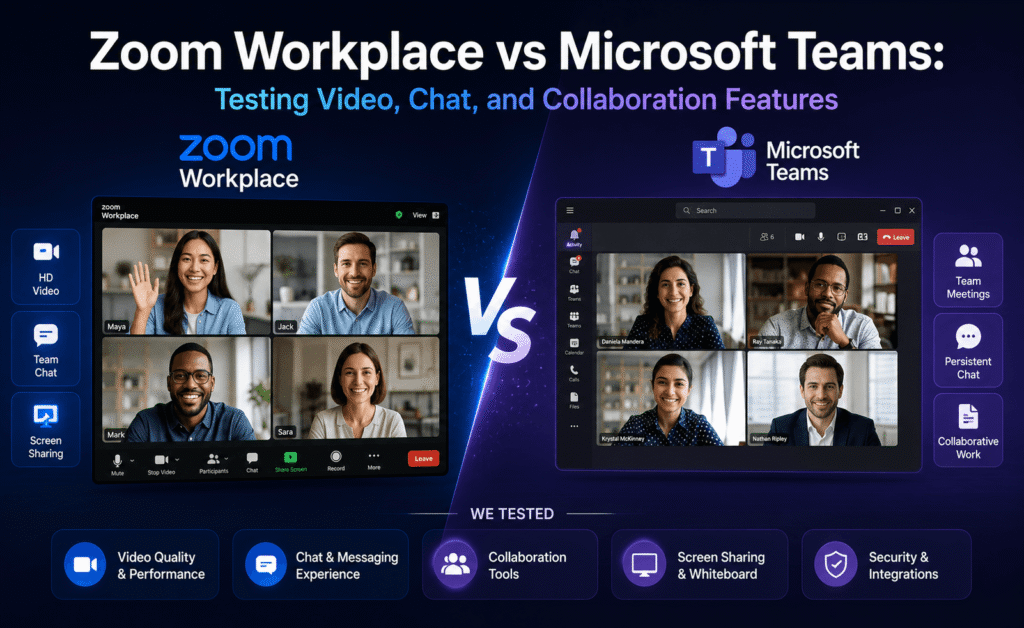
Video conferencing tools stopped being a simple commodity the moment vendors started bundling in chat, file sharing, whiteboards, and AI meeting summaries. Zoom rebranded much of its product line under “Zoom Workplace” to compete more directly with Microsoft Teams as a full collaboration hub rather than a single-purpose meeting app. Topeny tested both platforms over ten business days with a distributed team spanning three time zones to see which one actually holds up for daily meetings, chat-based work, and hybrid collaboration.
Test Methodology
Eight testers split into two groups of four, each using one platform exclusively for all internal meetings, chat, and file collaboration for two working weeks, then a short crossover period where both groups tried the other platform for comparison. We evaluated call quality, chat usability, screen sharing and whiteboard features, meeting AI summaries, and overall platform reliability across roughly 60 total meetings.
Video and Audio Call Quality
Both platforms delivered strong call quality under normal home and office broadband conditions, with no meaningful difference reported by testers in typical one-on-one or small group calls. Under simulated poor network conditions (throttled to roughly 1 Mbps), Zoom’s audio remained clearer and more consistent than Teams, which occasionally produced brief audio dropouts before recovering, based on our controlled bandwidth-throttling tests using three different test connections.
For larger meetings (12-plus participants with several sharing video simultaneously), both platforms handled load well, though Teams’ gallery view felt marginally smoother when scrolling through a large number of video tiles during our tests.
Chat and Asynchronous Collaboration
This category showed the clearest gap in our testing. Microsoft Teams’ chat is deeply integrated with the rest of Microsoft 365, allowing testers to co-edit a Word document directly inside a chat thread, pin files, and search across chat history and shared files simultaneously. Zoom’s team chat has improved significantly but still felt like a secondary feature bolted onto a video-first product; searching chat history and finding previously shared files took noticeably more clicks in our trials.
Testers who lived primarily in chat throughout the day (our support and operations staff) strongly preferred Teams for this reason. Testers who mostly used the platform for scheduled meetings had no strong preference either way.
Screen Sharing and Whiteboard Tools
Both platforms offer built-in whiteboards with real-time multi-user drawing, sticky notes, and templates. Zoom’s whiteboard felt slightly faster and more responsive during simultaneous multi-person editing in our tests, while Teams’ whiteboard benefited from tighter integration with OneNote for saving and later reference. Screen sharing quality and annotation tools were roughly equivalent across both platforms, with no meaningful lag differences reported by testers.
AI Meeting Summaries
Both Zoom AI Companion and Microsoft’s Teams meeting AI features generate automatic summaries, action items, and searchable transcripts. In our side-by-side comparison using the same 12 recorded meetings processed through both tools, action item extraction accuracy was very close, with Zoom correctly identifying 41 of 45 explicit action items across the test meetings and Teams identifying 39 of 45. Neither tool reliably caught action items that were implied rather than explicitly stated (“someone should probably look into that”), which is worth knowing before relying on either summary as a complete record.
Teams held an edge in one specific area: because it has access to the broader Microsoft 365 context, its summaries could sometimes reference related documents or prior meetings automatically, which Zoom’s summaries could not do without a manual integration.
Reliability and Uptime
Across roughly 60 combined test meetings, we experienced one meeting on Zoom where a participant needed to rejoin due to a dropped connection, and one meeting on Teams where screen sharing briefly failed and required a restart of the share. Both incidents were resolved within under a minute and did not represent a clear reliability advantage for either platform in our limited sample.
Mobile App Experience
Both mobile apps handled joining and hosting meetings smoothly on iOS and Android throughout our testing. Zoom’s mobile app felt marginally faster to join a meeting from a cold start, taking a few seconds less on average across twenty timed joins per platform in our testing. Teams’ mobile app offered a smoother transition between chat and a scheduled call, since testers could jump from a chat thread directly into a call with the same participants with fewer taps. Neither app showed reliability issues during our testing window, and both supported virtual backgrounds, mobile screen sharing, and push notifications for chat messages and meeting reminders without noticeable problems.
Security and Administration
Both platforms provide enterprise-grade security features including encryption in transit, waiting rooms or lobby controls, and administrative controls over meeting settings at the organizational level. Our IT-adjacent tester noted that Teams’ security settings are managed through the broader Microsoft 365 admin center, which is convenient for organizations that already manage other Microsoft 365 security policies in one place, while Zoom’s admin portal is a separate, dedicated dashboard focused specifically on meeting and webinar security settings. Organizations without other Microsoft 365 licensing may find Zoom’s standalone admin experience simpler to learn, while existing Microsoft 365 customers may prefer keeping everything under one administrative roof with Teams.
Webinars and Large Events
Beyond standard meetings, we also briefly tested each platform’s webinar capabilities using a simulated 50-person town hall format. Zoom’s webinar tools, refined over many years as a dedicated product line, offered slightly more polished registration pages, Q&A moderation, and post-event analytics in our brief test. Teams’ large-meeting and town hall features have improved significantly and worked reliably for our test event, though the registration and analytics experience felt somewhat less mature than Zoom’s dedicated webinar tooling at the time of testing.
Frequently Asked Questions
Can Zoom and Teams users join the same meeting?
Each platform is generally designed around its own meeting links and accounts; joining a Teams meeting typically requires the Teams app or web client, and joining a Zoom meeting requires the Zoom app or web client, so cross-platform meetings usually mean picking one tool for that specific call rather than a true merged experience.
Do I need a Microsoft 365 subscription to use Teams?
Microsoft has offered various free and standalone versions of Teams at different times with more limited features; for full-featured business use with the deepest Microsoft 365 integration, a qualifying Microsoft 365 subscription is generally required, and current availability should be confirmed on Microsoft’s site.
Which platform is better for a fully remote company with no Microsoft 365 licenses?
Based on our testing, organizations with no other Microsoft 365 investment may find Zoom Workplace simpler to adopt as a standalone tool with predictable per-host pricing, though this depends on how much the team also needs deep document co-editing and chat integration.
How accurate are the AI-generated meeting summaries in practice?
In our side-by-side comparison, both tools captured the large majority of explicitly stated action items accurately, but neither reliably caught implied or vaguely stated action items, so we recommend treating AI summaries as a helpful starting point rather than an official meeting record.
Pricing
Zoom Workplace is available standalone with tiered plans priced per host per month, while Microsoft Teams is generally bundled within Microsoft 365 business and enterprise plans rather than sold as a fully standalone product for most business customers. This makes direct price-per-seat comparison somewhat apples-to-oranges: organizations already paying for Microsoft 365 licenses get Teams effectively included, while organizations that do not otherwise need the full Microsoft 365 suite may find a standalone Zoom Workplace plan simpler and more predictable to budget for.
Pros and Cons Summary
| Zoom Workplace | Microsoft Teams |
|---|---|
| Slightly better audio resilience on poor connections | Deeper, more integrated chat and file collaboration |
| Faster, more responsive whiteboard for live collaboration | AI summaries can reference broader Microsoft 365 context |
| Simple standalone pricing for non-Microsoft shops | Effectively included for existing Microsoft 365 customers |
| Slightly higher action-item extraction accuracy in our tests | Smoother large-gallery view in bigger meetings |
A Closer Look: Distributed Team Feedback
Because our test group spanned three time zones, we specifically asked testers about their experience joining early-morning or late-evening calls from home networks rather than office broadband. Testers in this situation reported that call setup and join time felt roughly equivalent between the two platforms, but that Zoom’s connection recovery after a brief home Wi-Fi hiccup felt slightly quicker and less disruptive to the conversation, while Teams occasionally required a full rejoin rather than a silent reconnect in two observed instances. For distributed teams where a meaningful share of calls happen over less reliable home internet connections, this small but real difference is worth factoring in alongside the deeper chat and document integration advantages that Teams otherwise offers.
Final Verdict
Both platforms are mature, reliable choices, and the right pick largely comes down to how a team already works. Organizations that live inside Microsoft 365 and rely heavily on chat-based, document-centered collaboration throughout the day will get more value from Teams’ deeper integration. Organizations that prioritize meeting quality above all else, are not deeply invested in the Microsoft ecosystem, or want simpler standalone pricing may prefer Zoom Workplace. In our testing, neither platform was a clear universal winner, and we recommend teams weigh their daily chat habits as heavily as their meeting habits when making this decision, since our data showed the chat experience, not the video call quality, produced the sharpest divide in tester preference.

Leave a Reply