

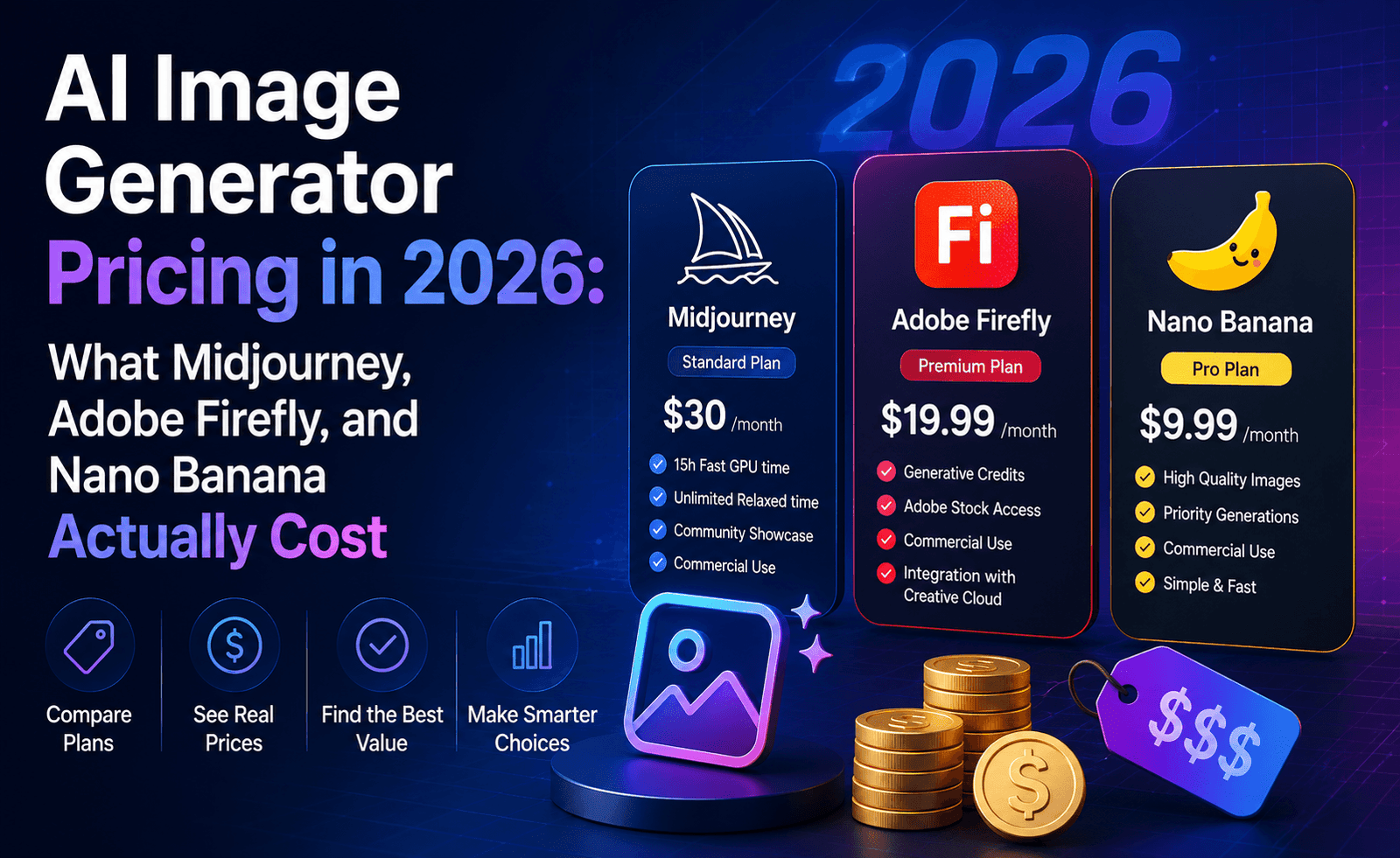
“How much does an AI image generator actually cost?” sounds like a simple question, but it’s one of the most confusing corners of the entire AI software market. Every major provider uses a different metering system — subscription tiers, generative credits, GPU-hour allocations, per-image API pricing — and none of them convert cleanly into a single “dollars per image” number you can compare at a glance. We built this report specifically to cut through that, using published plan details and our own hands-on subscription testing rather than marketing copy.
Before we get into specific tools, it’s worth flagging the single most important thing to understand about this market: pricing changes often, sometimes monthly, as providers respond to competitor launches. Every figure below reflects our research as of mid-2026, and we’d strongly encourage you to double-check the current numbers on each provider’s official pricing page before you subscribe, especially if you’re budgeting for a team rather than a single seat.
Midjourney: You’re Buying GPU Time, Not Images
Midjourney’s pricing is the one most people get wrong on their first month, because it doesn’t sell a fixed image count — it sells blocks of “fast GPU time.” There are four monthly plans: Basic at $10, Standard at $30, Pro at $60, and Mega at $120, with roughly 20% off if you pay annually (working out to approximately $8, $24, $48, and $96 per month respectively). Basic includes around 3.3 hours of fast GPU time per month, Standard around 15 hours, Pro around 30, and Mega around 60.
Here’s the part that catches new users off guard: a standard-speed image on the current V8.1 model consumes roughly 0.8 GPU minutes, which puts Basic’s monthly allocation at somewhere around 200-250 standard images before you drop into the slower, queued “Relax mode” (available on Standard and above). HD images at 2K resolution cost more GPU time per image, so if you’re generating high-resolution work regularly, your effective image budget shrinks. Video generation eats into the same GPU pool at a much higher rate — an HD video batch can run something like 25-30 GPU minutes compared to roughly one minute for a still image — so if video is part of your workflow, even the Standard plan can disappear quickly. There is no free trial on Midjourney; it was discontinued back in 2023, so the only way to test it firsthand is to pay for at least a Basic month.
One detail that’s easy to miss: any business with more than $1 million in annual gross revenue is contractually required to be on the Pro or Mega plan to use Midjourney outputs commercially, regardless of how little the company actually generates. If you’re a growing small business, it’s worth checking this threshold before you get too attached to a cheaper tier.
Adobe Firefly: A Credit System Tied to Creative Cloud
Adobe Firefly runs on “generative credits” rather than a straightforward per-image price, and the credit cost varies by what you’re generating — a standard image generation typically costs a single credit, while higher-resolution outputs, video, or partner-model access (Firefly can tap third-party models like Flux for certain features) burn through credits faster. Firefly offers a genuinely free tier with around 25 credits per month, enough to test the tool but not to run any real production volume. Paid standalone plans generally start in the roughly $9.99–$19.99/month range for lower tiers, scaling up toward $49.99 and beyond for higher-credit plans aimed at heavier individual use, and enterprise API access sits in a completely different bracket, typically requiring a custom agreement.
The most important thing to know about Firefly’s pricing, though, isn’t the sticker price — it’s the bundling. If your organization already pays for Creative Cloud All Apps, you likely already have a meaningful monthly credit allocation included, which can make a standalone Firefly subscription redundant. Firefly’s other major selling point that factors into its value calculation is that it’s trained exclusively on licensed Adobe Stock and public domain content, which matters if commercial-use legal risk is a real concern for your business — that’s a cost consideration that doesn’t show up on a pricing page but absolutely belongs in a total-cost-of-ownership conversation.
Free and Near-Free Options Worth Knowing About
Not every use case needs a paid subscription. Google’s Nano Banana 2 (Gemini 3.1 Flash Image) is accessible at no cost inside the standard Gemini app, and it produces genuinely competitive results for everyday use — social posts, quick concept visuals, casual creative projects. Bing Image Creator, built on a DALL-E-family model, remains a free entry point for Microsoft account holders. Leonardo.Ai’s free tier is popular with hobbyists and indie game developers, though like most free tiers, daily generation caps push serious users toward a paid plan fairly quickly.
Cost-Per-Image: An Approximate Comparison
Because every provider meters usage differently, we’re presenting this as an approximate, directional comparison rather than an exact one — treat it as a starting point for your own math, not a guarantee.
| Tool | Entry Price | Rough Cost Per Image | Best Fit |
|---|---|---|---|
| Midjourney (Basic) | $10/mo | ~$0.04–$0.05 (fast mode, standard image) | Regular creative users who want a distinctive style |
| Midjourney (Standard, w/ Relax) | $30/mo | Effectively lower per image at volume | Freelancers and small studios generating daily |
| Adobe Firefly (Free) | $0 | ~25 credits/month | Testing the tool, occasional light use |
| Adobe Firefly (Standard/Pro) | ~$9.99–$19.99/mo | Varies by credit cost per operation | Creative Cloud users needing commercial-safe images |
| Nano Banana 2 (Gemini app) | Free | $0 within app limits | Casual users, quick everyday generations |
| Open-weight models (Flux, SD 3.5, self-hosted) | Hardware/cloud compute cost | Can be under $0.01/image at scale | Developers and teams with technical resources |
Hidden Costs People Forget to Budget For
- Video eats credits/GPU time far faster than stills — if your plan includes video generation, budget separately for it rather than assuming your image allocation covers both.
- Annual billing discounts require upfront commitment — the ~20% Midjourney discount and similar offers from other providers only pay off if you’re confident you’ll stick with the tool for a full year.
- Enterprise API access is a different pricing universe — several providers, including Adobe’s Firefly Services, require enterprise agreements starting in the four-figure monthly range, plus real engineering time to integrate the API properly.
- Credits that don’t roll over — most credit-based systems reset monthly and forfeit unused credits, so overpaying for a tier you don’t fully use is a common way teams waste budget.
- Revenue-based licensing thresholds — as noted above with Midjourney, some tools change your required tier based on company revenue, not usage volume.
How to Choose Based on Budget
If you’re an individual creator testing the waters, start free: Nano Banana 2 in the Gemini app or Adobe Firefly’s free tier will tell you a lot about whether AI image generation fits your workflow before you spend a cent. If you generate regularly and care about a distinctive aesthetic, Midjourney’s Standard plan tends to be the value sweet spot once you factor in unlimited Relax mode. If commercial-use legal safety is non-negotiable for your business — agencies working with brand clients, for instance — Adobe Firefly’s licensing model may be worth paying a premium for even if the raw image quality doesn’t always win head-to-head comparisons. And if you have engineering resources and expect to generate at real scale, self-hosted open-weight models like Flux or Stable Diffusion 3.5 can push your cost per image down dramatically, at the expense of needing to manage your own infrastructure.
Frequently Asked Questions
What’s the cheapest way to try AI image generation before paying for anything?
Start with Nano Banana 2 inside the free Gemini app or Adobe Firefly’s free 25-credits-per-month tier. Both give you a real feel for prompt-to-image quality without a subscription, and that hands-on test is more useful than reading any comparison article, including this one.
Why does Midjourney feel more expensive than it looks on the pricing page?
Because you’re not buying images, you’re buying GPU minutes, and different operations consume different amounts of that time. HD images cost more than standard ones, video costs dramatically more than either, and Turbo speed mode burns roughly twice the GPU time of Fast mode per image. Two people on the same $30 Standard plan can end up with very different effective image counts depending on what settings they use.
Is it worth paying for Creative Cloud All Apps just to get Firefly credits?
Only if you’re already using or considering other Creative Cloud apps like Photoshop or Illustrator. If Firefly is the only thing you want, a standalone Firefly plan is usually the more direct route, though it’s worth comparing the credit allocation on both before deciding, since bundled plans sometimes include a larger credit pool for a similar effective price.
Do open-weight models like Flux or Stable Diffusion actually save money?
They can, but only if you already have (or are willing to pay for) the compute to run them, whether that’s your own GPU hardware or a cloud rental. For occasional use, a hosted API tier or a subscription tool is usually cheaper once you account for setup and idle infrastructure time. For high-volume, continuous generation, self-hosting an open-weight model is where the real savings show up.
Bottom Line
There’s no universally “cheapest” AI image generator — the right answer depends on your volume, your resolution needs, and whether video or commercial licensing factor into your decision. What we’d recommend to every reader, regardless of budget, is to actually track your usage for the first month on whatever plan you choose. Metered pricing systems are specifically designed around estimates and averages, and the only way to know your real cost per image is to generate the way you actually work, then look at what you were charged.



Leave a Reply