

Photorealism is the benchmark that separates AI image generators more clearly than almost any other test. Stylized art, illustration, and graphic design all have some tolerance for imperfection built into the medium — a slightly odd hand in a painterly image reads as artistic license. A slightly odd hand in a photo that’s supposed to look like a real person shot on a real camera reads as immediately, uncannily wrong. This report covers what we found testing several leading models specifically on lifelike human portraits, the single hardest category in the entire field.
Why Photorealistic Portraits Are the Hardest Test
Human faces and hands are subject to more scrutiny, both computationally and psychologically, than almost anything else a model can generate. We’re evolutionarily wired to notice tiny errors in faces — asymmetries, unnatural skin texture, eyes that don’t quite catch light the way real eyes do. Hands are a related but separate challenge: the number of plausible finger positions and joint angles is enormous, and models trained primarily on aggregate image statistics have historically struggled to keep finger counts and proportions consistent, though this has improved substantially over the past year across most frontier models. On top of anatomy, true photorealism also requires correct light physics — how skin actually scatters and reflects light differently from painted or illustrated skin, how fabric folds under gravity, how a shallow depth of field falls off around a subject’s face the way a real camera lens would produce it.
How the Leading Models Compare on Realism
Independent blind-vote benchmarking is particularly valuable for this category because photorealism is inherently subjective in a way that’s easy for any single reviewer, including us, to get wrong based on personal taste. The Artificial Analysis Image Arena, which generates four images from randomly sampled models per prompt and has users pick their favorite without knowing which model produced which image, is one of the better-designed tools we’ve seen for filtering out brand bias in these judgments — it uses TrueSkill scoring (a conservative rating that requires many wins to climb, not just occasional ones) built from tens of thousands of blind comparisons.
Based on that kind of blind-vote data and our own hands-on generation testing, a consistent pattern emerges: Flux variants (including Flux Pro for quality-focused work and the faster, cheaper Flux Schnell), Google’s Imagen line, and GPT Image currently rank among the strongest performers specifically for photorealism in human comparisons, though exact ordering shifts as new checkpoints ship. Meta’s Emu 3.5 has also earned a reputation in our testing for producing some of the most convincingly realistic output in the field — at the cost of being both notably slower and more expensive per image than the faster alternatives, which matters if you need volume rather than a handful of hero images.
Flux: A Range of Speed-vs-Quality Tiers
Black Forest Labs’ Flux family is unusual in that it explicitly offers you a choice along the speed-quality curve rather than forcing a single tradeoff. Flux Pro targets maximum photorealistic quality for hero shots and campaign work where you can afford to wait a bit longer per image. Flux Schnell trades some peak quality for dramatically faster, cheaper generation, which makes it a popular choice for early-stage concept exploration where you’re generating dozens of variations before narrowing down to a final direction. Being open-weight, Flux models are also self-hostable, giving technical teams a path to very low per-image costs at scale if they’re willing to manage their own infrastructure.
Google Imagen 4 Ultra: Speed for Concept Testing
Imagen 4 Ultra has built a reputation specifically as a fast AI image generator suited to rapid concept testing and quick-turnaround content, which is a slightly different value proposition than “highest possible photorealism at any cost.” For teams that need to generate many candidate directions quickly before committing resources to refine one, that speed advantage often matters more day-to-day than squeezing out the last percentage point of realism on any single image.
GPT Image 2: Consistency Across Iterations
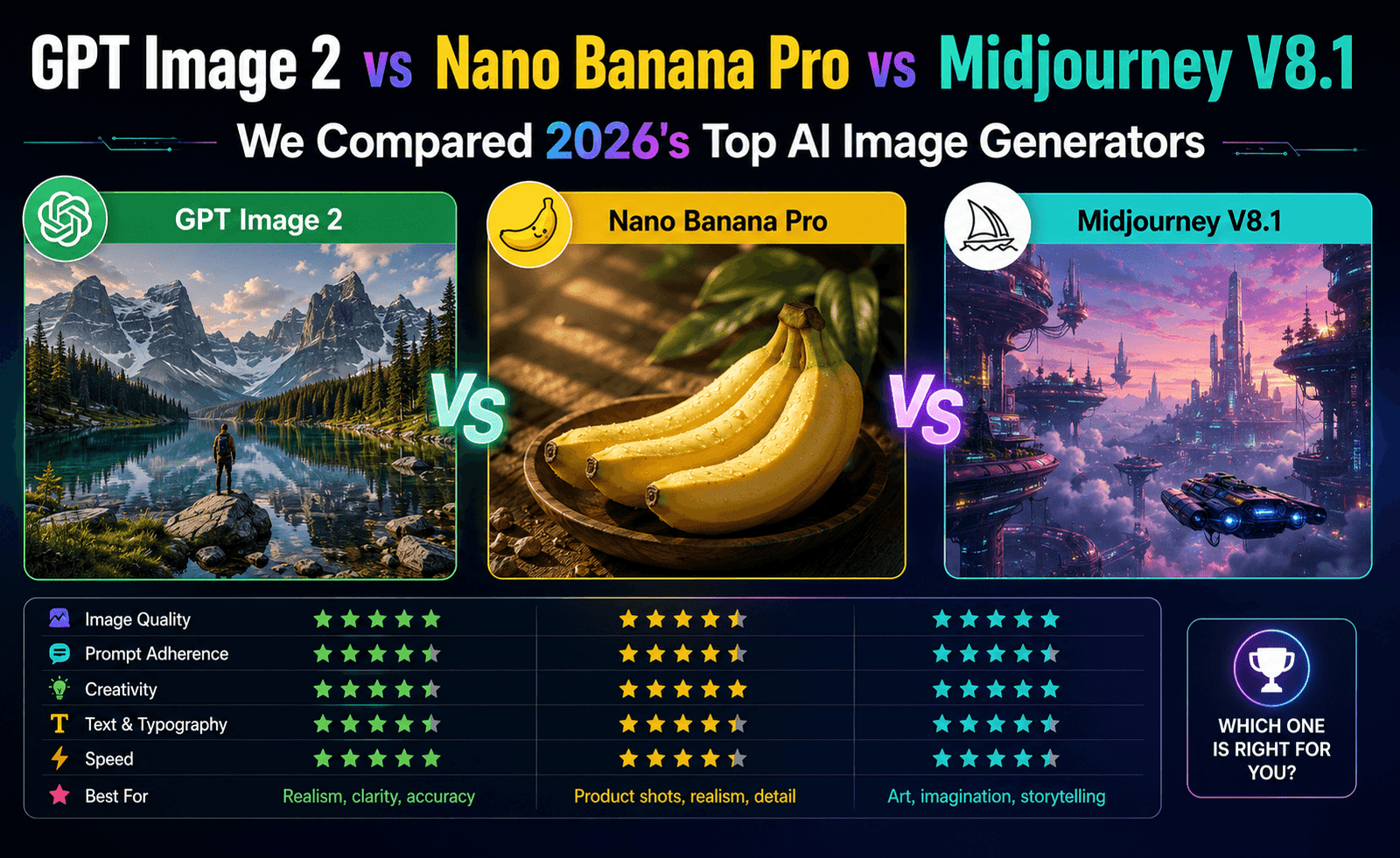
We covered GPT Image 2’s conversational editing strengths in our broader comparison report, and that same iterative editing capability turns out to matter a lot specifically for portrait work. Photorealistic portraits are rarely perfect on the first generation — a stray highlight, an unnatural fold in clothing, lighting that’s slightly too flat — and GPT Image 2’s ability to apply targeted natural-language corrections (“soften the shadow under the chin, warm up the skin tone slightly”) without regenerating the entire image from scratch is a meaningfully faster path to a usable final portrait than re-rolling the whole generation and hoping for better luck.
Comparison Table
| Model | Realism Strength | Speed | Best For |
|---|---|---|---|
| Flux Pro | Very high | Moderate | Hero images, campaign-quality portraits |
| Flux Schnell | Good | Very fast | Rapid concept exploration, high volume |
| Imagen 4 Ultra | High | Fast | Quick concept testing and iteration |
| GPT Image 2 | High | Moderate | Iterative refinement to a final polished portrait |
| Emu 3.5 | Exceptional | Slow | A small number of maximum-fidelity hero shots |
How We Approached This Test
Rather than relying on a single hero prompt — which any model can occasionally get lucky on — we generated multiple portrait variations per model across a mix of lighting conditions (soft window light, harsh outdoor sun, studio strobe) and subject framing (close-up headshot, half-body, environmental portrait), then reviewed the batches for consistency rather than cherry-picking a single best output. This matters because a model that produces one outstanding image out of ten is a very different practical tool than one that produces eight solid images out of ten, even if their single best outputs look similar in a side-by-side demo. When we cite third-party blind-vote data alongside our own observations, it’s specifically to check whether our hands-on impressions line up with a larger, statistically more robust sample than we could realistically generate ourselves — and in this category, they generally did.
Common Failure Modes We Still See
- Hands and fine finger detail — improved dramatically across the field over the past year, but still the single most likely place for an otherwise excellent portrait to fall apart under close inspection.
- Waxy or overly smooth skin texture — a classic AI “tell” that’s become less common in top-tier models but still shows up, particularly in close-up portrait crops.
- Inconsistent light direction — shadows that don’t quite agree with the apparent light source, especially in scenes with multiple light sources like mixed indoor/window lighting.
- Text and background clutter artifacts — nonsensical text on background signage, clothing, or props even in otherwise strong portrait generations.
- Uncanny symmetry — real human faces are subtly asymmetrical; AI-generated faces that are too perfectly symmetrical can read as artificial even when every individual feature looks correct.
Practical Tips for More Realistic Portraits
A few adjustments consistently improved our results across every model we tested. Specifying a particular camera and lens style in the prompt (for example, describing a natural portrait lens look with shallow depth of field) tends to push models toward more photographic, less illustrative output. Requesting subtle, specific imperfections — a slight asymmetry, a realistic skin texture with visible pores, natural flyaway hairs — counterintuitively produces more convincing results than asking for “perfect” skin or features, since real human faces simply aren’t flawless. And generating multiple variations of the same prompt and comparing them side by side is almost always worth the small additional time cost, since even strong models produce meaningfully better results on some generations than others from the identical prompt.
Frequently Asked Questions
Which model is best for a single hero portrait when quality matters more than speed?
Based on our testing and available blind-vote data, Emu 3.5 and Flux Pro currently produce some of the most convincing results when you can afford slower generation and higher per-image cost for a small number of final images.
Which model is best for generating many portrait variations quickly?
Flux Schnell and Imagen 4 Ultra are both built around speed, making them better suited to early-stage exploration where you’re comparing many directions before committing to one.
Can AI-generated portraits be used commercially without legal risk?
This depends on the specific model’s training data and licensing terms, and on whether the portrait resembles a real, identifiable person, which raises separate likeness and consent considerations regardless of which tool you use. We’d recommend generating clearly synthetic, non-resembling faces for commercial work and reviewing each provider’s current commercial license terms before publishing.
Will these models keep improving at the same pace?
Based on the release cadence we’ve tracked over the past year, yes — this category has seen faster quality gains than almost any other area of AI image generation, and we’d expect the specific failure modes listed above to keep shrinking with each new model generation.
Bottom Line
No single model wins every photorealism scenario. Flux Pro and Emu 3.5 lead on raw fidelity for hero shots, Flux Schnell and Imagen 4 Ultra win on speed for exploratory work, and GPT Image 2’s iterative editing makes it the most efficient path from a decent first draft to a genuinely polished final portrait. As with every category in this series, we’d treat blind-vote leaderboard rankings as a strong signal rather than a final verdict, and we’d encourage you to run your own side-by-side test with your actual subject and lighting requirements before settling on a tool.




Leave a Reply